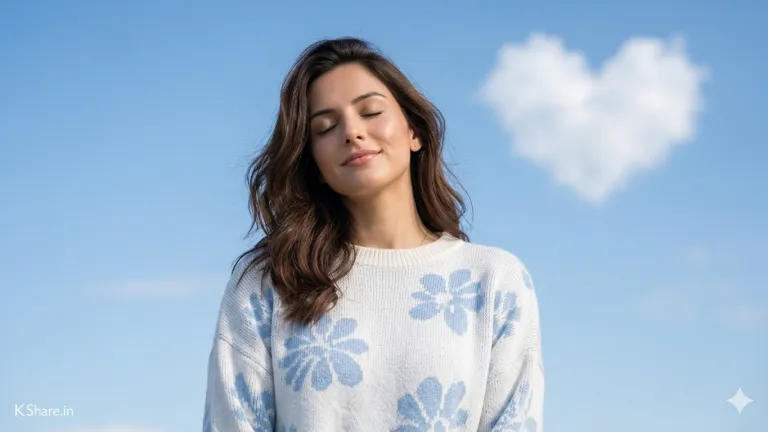
Chasing Waterfalls AI Prompt (Cinematic 8K Portraits)
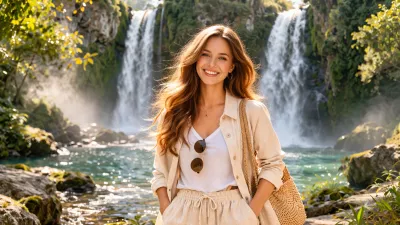
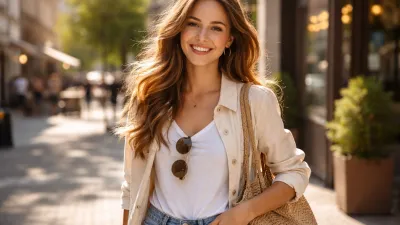 BeforeAfter
The Prompt
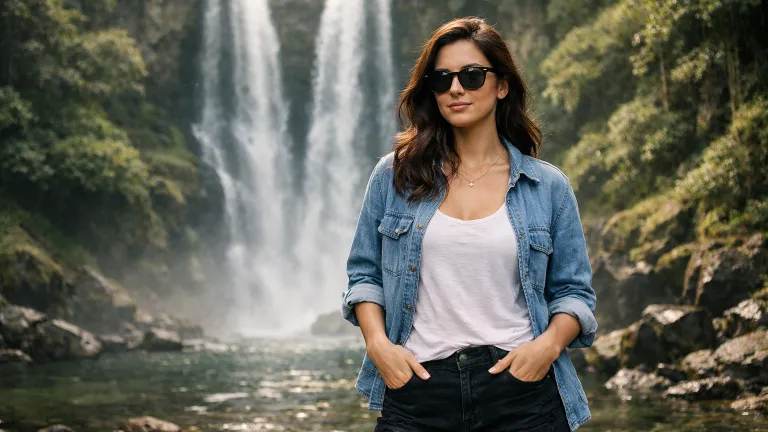
Ultra-realistic cinematic outdoor portrait using the SAME person from the reference image. STRICT IDENTITY LOCK: Face, facial structure, skin tone, hairstyle, hair color, expression, and all defining features must remain 100% identical to the reference image. Do NOT modify, stylize, beautify, or reinterpret the face in any way. SUBJECT: A person standing confidently with natural presence and authentic expression. Identity must exactly match the reference image. POSE & BODY LANGUAGE: Relaxed natural stance, both hands inside pockets or resting naturally. Body facing forward, head slightly turned. Expression calm, confident, and realistic. OUTFIT: Clean, modern casual outfit suitable for outdoor lifestyle photography (e.g., lightweight shirt/top, relaxed pants/shorts, optional sunglasses). Natural fabric textures and realistic folds. SCENE: A tall twin waterfall surrounded by lush green cliffs and moss-covered rocks. A natural rocky pool at the base with visible stones and gentle water ripples. Soft glowing mist floating around the subject. LIGHTING & MOOD: Natural dreamy lighting with soft warm highlights, subtle cinematic glow through waterfall mist. Bright green, yellow, and white color palette. Clean, airy, fresh outdoor atmosphere. CAMERA & STYLE: DSLR photography, 85mm lens, shallow depth of field (bokeh background), sharp focus on subject, cinematic composition, ultra-detailed textures, realistic skin tones. FRAMING: Mid-thigh to head crop, subject slightly lower in frame with wide headroom capturing the full waterfall. SIGNATURE: Add a small, clean, subtle text watermark "KShare.in" in the bottom-left corner. Minimal, elegant, low opacity, non-distracting. QUALITY: 8K ultra-realistic, photorealistic, cinematic clarity, HDR, professional color grading. NEGATIVE PROMPT: different face, altered identity, face distortion, unrealistic skin, cartoon, painting, CGI look, blur, low quality --ar 3:4

Want to create a breathtaking cinematic portrait that feels like a movie scene? This “Chasing Waterfalls” AI prompt is designed to generate ultra-realistic outdoor portraits with stunning natural backdrops, dreamy lighting, and flawless subject consistency.
If you're building a personal brand, designing visual content, or just experimenting with AI photography—this prompt will instantly elevate your results.
What Is This Prompt?
This is a highly detailed AI image generation prompt crafted to produce ultra-realistic cinematic portraits of a person standing in front of a dramatic twin waterfall environment.
It ensures that:
- The subject’s face remains 100% identical to the reference image
- The lighting, composition, and styling feel cinematic and professional
- The environment enhances the subject without overpowering them
This prompt works exceptionally well with AI tools that support image-to-image generation or reference-based rendering.
Want to create similar high-quality prompts instantly? Try our AI Image Prompt Generator to generate detailed, creative, and professional prompts in seconds.
What Does This Prompt Do?
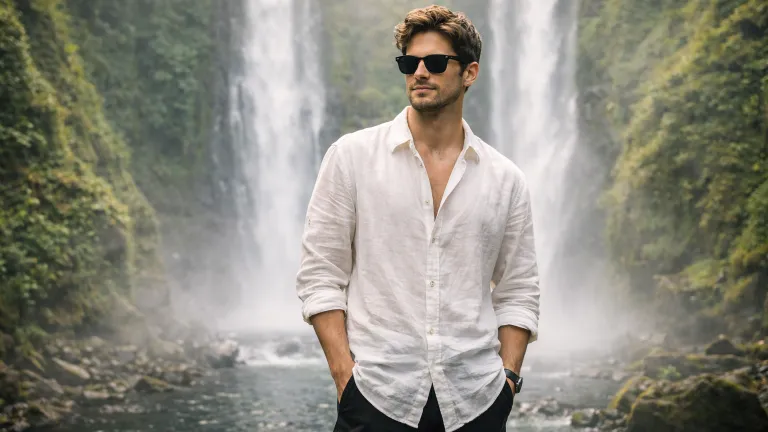
This prompt generates a photorealistic DSLR-style portrait featuring:
- A confident young man posed naturally
- A majestic twin waterfall with lush greenery
- Soft mist and dreamy lighting effects
- Stylish outfit with modern fashion aesthetics
- Shallow depth of field for cinematic clarity
The result looks like a high-budget outdoor photoshoot captured with an 8K DSLR camera.
Who Should Use This Prompt?
- Content Creators: Create Instagram-worthy visuals
- Influencers: Build a premium lifestyle aesthetic
- Designers: Generate high-quality visuals for projects
- Bloggers: Add engaging visuals to articles
- Developers: Use for AI-based apps or tools
- Photographers: Experiment with AI-generated concepts
Key Features & Benefits
- Face Consistency: Keeps identity unchanged
- Cinematic Quality: DSLR realism with depth of field
- Natural Lighting: Soft, dreamy, golden tones
- High Detail: 8K photorealistic output
- Stylish Composition: Perfect framing and pose
- Versatile Use: Works across multiple AI platforms
How to Use This Prompt (Step-by-Step)
- Choose Your AI Tool: Use tools like Midjourney, DALL·E, Leonardo AI, or Stable Diffusion
- Upload Reference Image: Ensure a clear face image
- Paste the Prompt: Copy the full prompt below
- Adjust Settings: Use high resolution and realism settings
- Generate Image: Run the prompt
- Refine Output: Adjust lighting, pose, or framing if needed
Pro Tip: Always use a high-quality reference image for best face accuracy.
Variations of Chasing Waterfalls
Cinematic Waterfall Portrait AI Prompt (Same Face, 8K Realism)
[Use the uploaded image as PRIMARY REFERENCE]

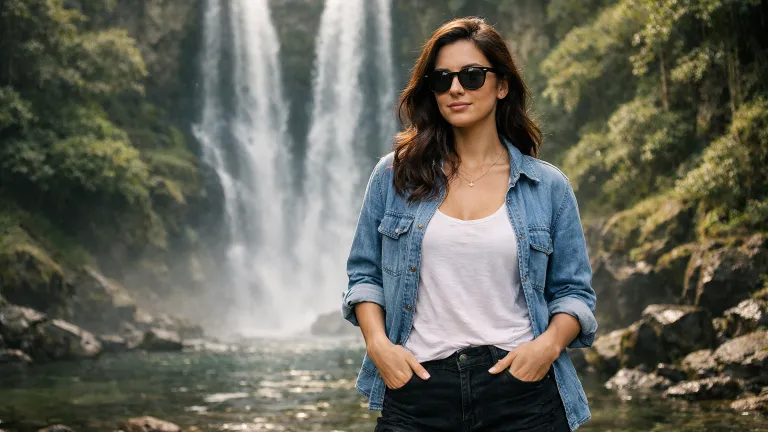
Ultra-realistic cinematic outdoor portrait using the SAME woman from the reference image.

STRICT IDENTITY LOCK:
Face, facial structure, skin tone, hairstyle, hair color, expression, and all facial features must remain 100% identical to the reference image. Do NOT modify, enhance, stylize, or reinterpret the face. No beautification, no face swap, no variation.

SUBJECT:
A confident modern woman with the exact same identity as the reference image, wearing black sunglasses, natural relaxed expression.

POSE:
Relaxed casual stance, both hands inside front pockets, body facing forward, head slightly turned to the side. Natural confident posture.

OUTFIT:
White casual tank top.
Light blue denim jacket (open front, relaxed fit).
Black denim shorts.
Minimal accessories, clean modern look.

ENVIRONMENT:
A tall twin waterfall surrounded by lush green cliffs and dense forest. Rocky river pool at the base with visible stones and soft water ripples. Natural mist floating in the air.

LIGHTING & MOOD:
Natural soft daylight with warm highlights, subtle glow through waterfall mist. Bright green and earthy tones, clean, airy, cinematic outdoor feel.

CAMERA & STYLE:
DSLR photography, 85mm lens, shallow depth of field (bokeh background), sharp focus on subject, realistic skin texture, ultra-detailed, cinematic composition.

FRAMING:
Mid-thigh to head framing, subject slightly lower in frame with wide headroom showing full waterfall.

SIGNATURE:
Add small, subtle watermark text "KShare.in" in the bottom-left corner. Minimal, elegant, low opacity, non-distracting.

QUALITY:
8K ultra-realistic, photorealistic, HDR, cinematic clarity, professional color grading.

NEGATIVE PROMPT:
different face, altered identity, face distortion, extra features, unrealistic skin, cartoon, painting, CGI look, over-smoothing, blur, low quality

--ar 16:9
Create stunning ultra-realistic waterfall portraits with perfect face consistency using this AI prompt. Designed for cinematic 8K output, this prompt keeps the same identity while placing your subject in a dreamy natural environment—perfect for social media, branding, and viral visuals.
Golden Hour Waterfall Portrait
Enhance the warmth and glow with sunset lighting for a more emotional and cinematic feel.
Ultra-realistic cinematic outdoor portrait using the same person from the reference image. Face must remain identical. A young man stands in front of a twin waterfall during golden hour. Warm sunlight hitting mist, dramatic shadows, soft glow. Stylish outfit, DSLR realism, shallow depth of field, 8K.Adventure Travel Style
Perfect for travel influencers and adventure-themed content.
Ultra-realistic portrait of the same person, unchanged face. Standing confidently near a waterfall surrounded by cliffs and greenery. Travel photography style, backpack vibe, natural lighting, cinematic composition, DSLR quality, 8K realism.Moody Cinematic Scene
Add depth and drama with darker tones and fog.
Ultra-realistic cinematic portrait using same face. Dark moody waterfall environment with fog and mist. Deep shadows, dramatic lighting, strong contrast, cinematic DSLR photography, 8K.Minimal Clean Aesthetic
Focus more on subject with softer background emphasis.
Ultra-realistic portrait, same face unchanged. Clean waterfall background, soft lighting, minimal distractions. Bright airy tones, shallow depth of field, DSLR style, 8K.Luxury Fashion Shoot
Turn the scene into a high-end fashion editorial.
Ultra-realistic cinematic fashion portrait using same face. Stylish outfit, luxury aesthetic, waterfall background, glowing mist, editorial photography style, DSLR clarity, 8K photorealistic.Pro Tips for Better Results
- Use high-resolution reference images
- Keep prompts detailed but structured
- Adjust lighting keywords for different moods
- Use camera terms like DSLR, 85mm lens, shallow depth
- Experiment with color palettes
Best Use Cases
- Instagram Reels & Posts
- Personal Branding Content
- Blog Featured Images
- Portfolio Projects
- AI Photography Experiments
- Marketing Campaign Visuals
Common Mistakes to Avoid
- Using low-quality reference images
- Overloading prompt with unnecessary details
- Ignoring lighting and composition
- Not specifying face consistency
- Using incompatible AI tools
Recommended AI Tools for Best Results
- Midjourney: Best for cinematic visuals
- DALL·E: Great for realistic outputs
- Leonardo AI: Strong control and customization
- Stable Diffusion: Advanced flexibility
Conclusion
If you're serious about creating scroll-stopping AI portraits, this “Chasing Waterfalls” prompt is a must-use. It combines cinematic composition, natural beauty, and ultra-realistic rendering to deliver stunning results every time.
Ready to create your masterpiece? Copy the prompt, upload your image, and start generating cinematic visuals today 🚀
Frequently Asked Questions (FAQs) about Chasing Waterfalls AI Prompt (Cinematic 8K Portraits)
- Low-quality reference images
- Missing lighting or camera details in the prompt
- Low resolution settings
- Weak AI model selection
To fix this, use a high-quality reference image, include terms like DSLR, cinematic lighting, shallow depth of field, and generate at the highest resolution possible.
Did you find this helpful?
Show your support! Your feedback helps us create more amazing content.