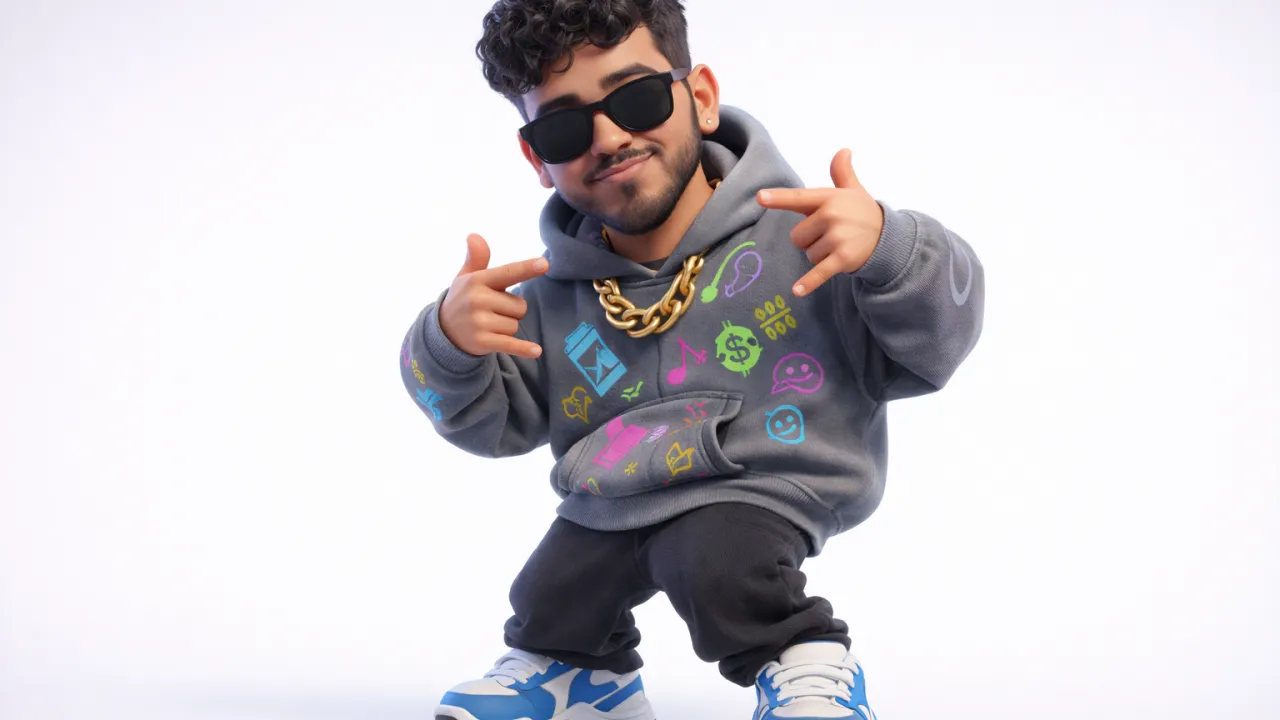
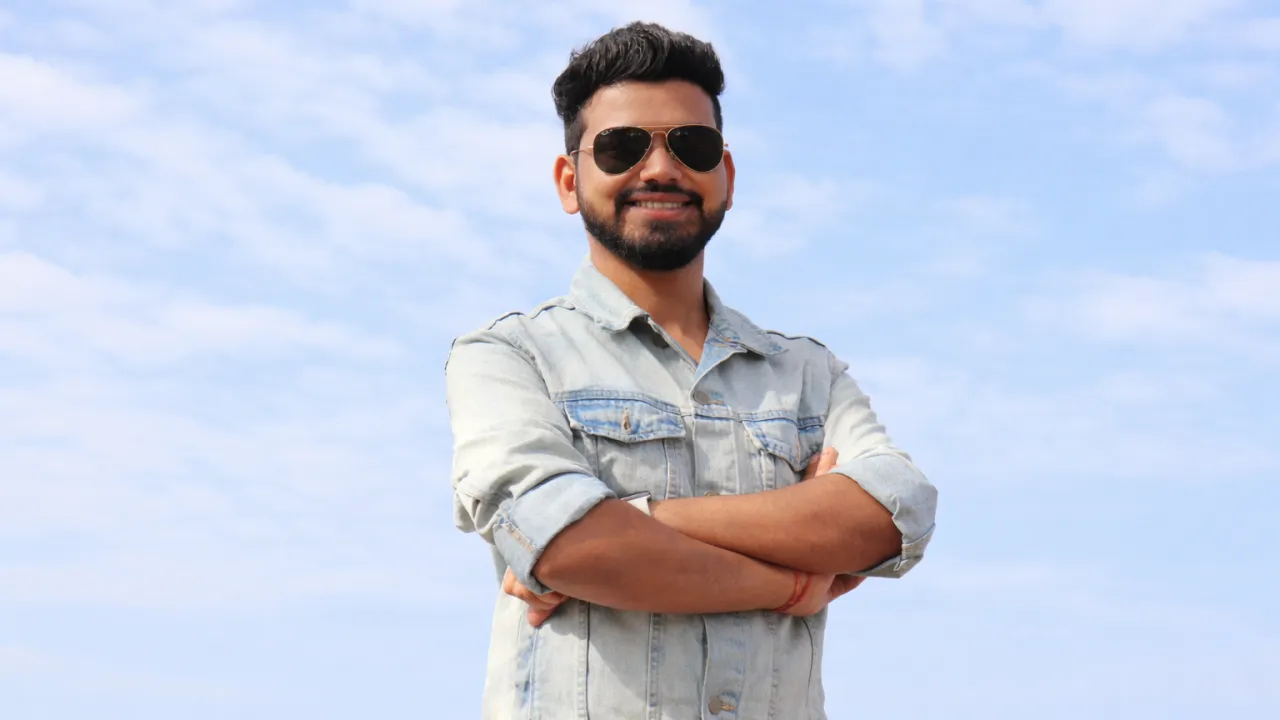
Cute Chibi Couple AI Prompt (Pixar Style) – Create 3D Cartoon Characters from Photo
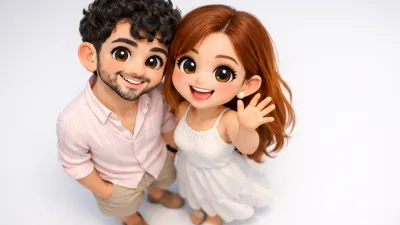
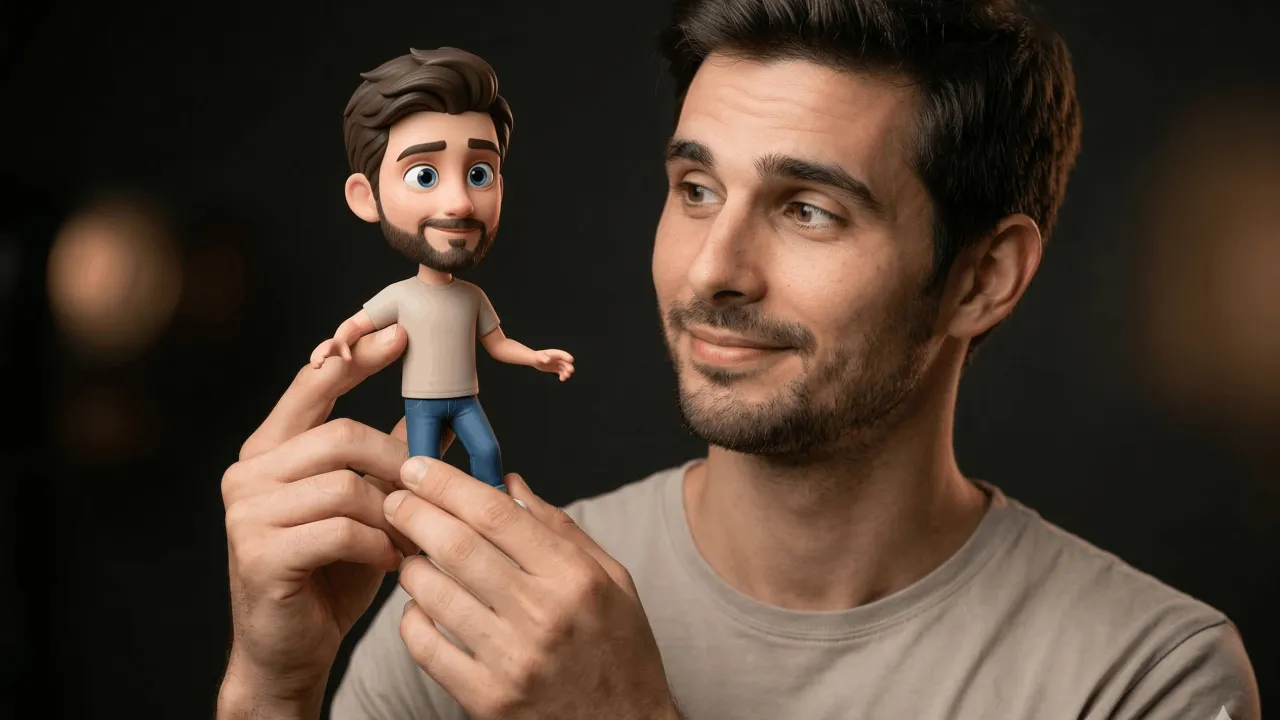
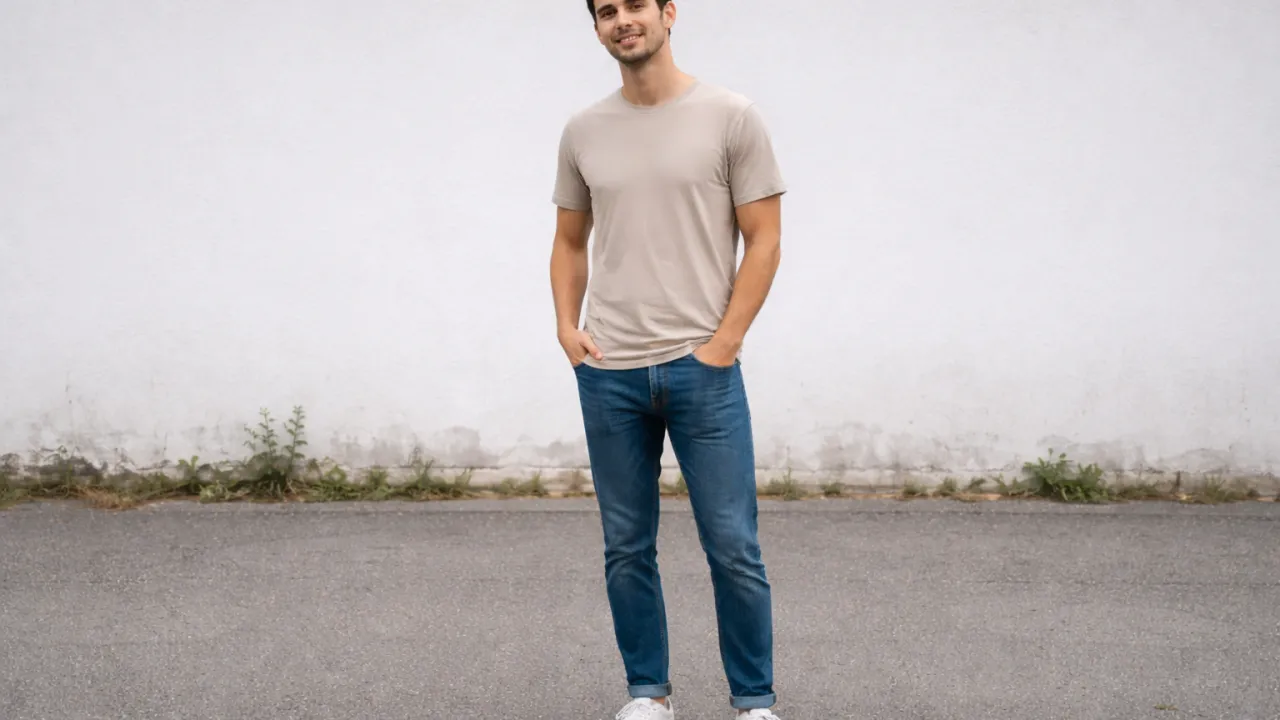
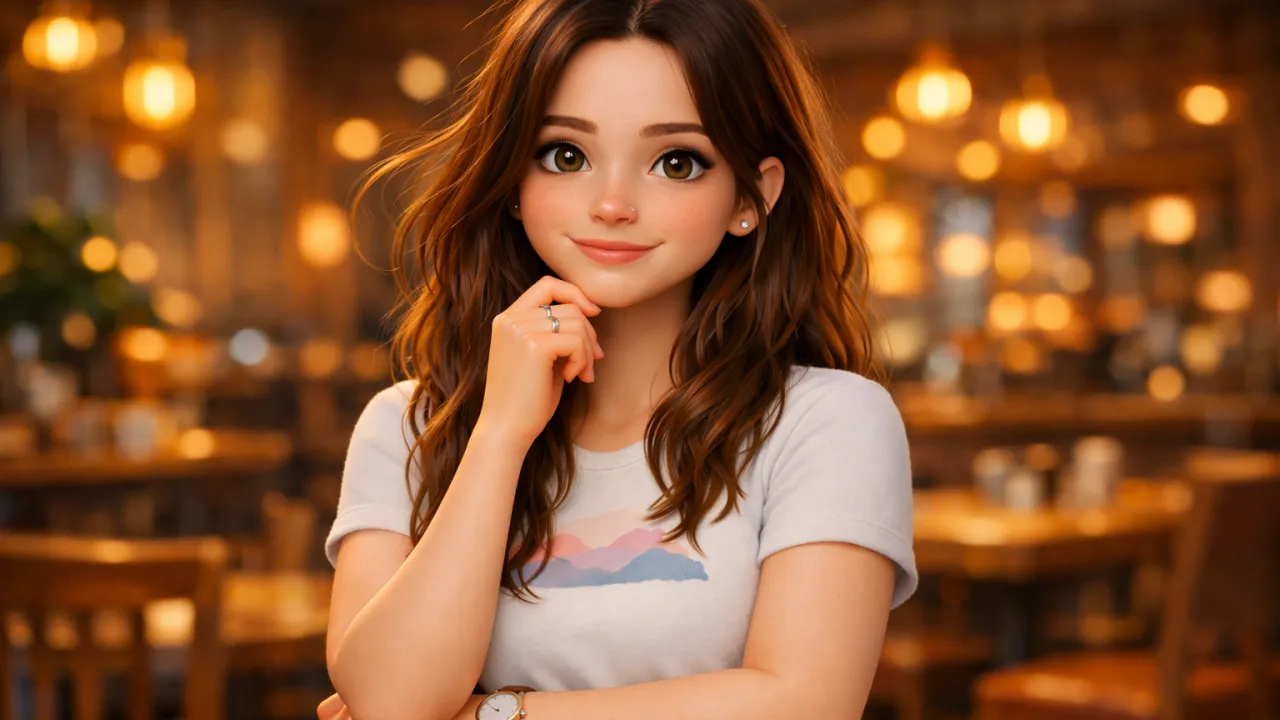
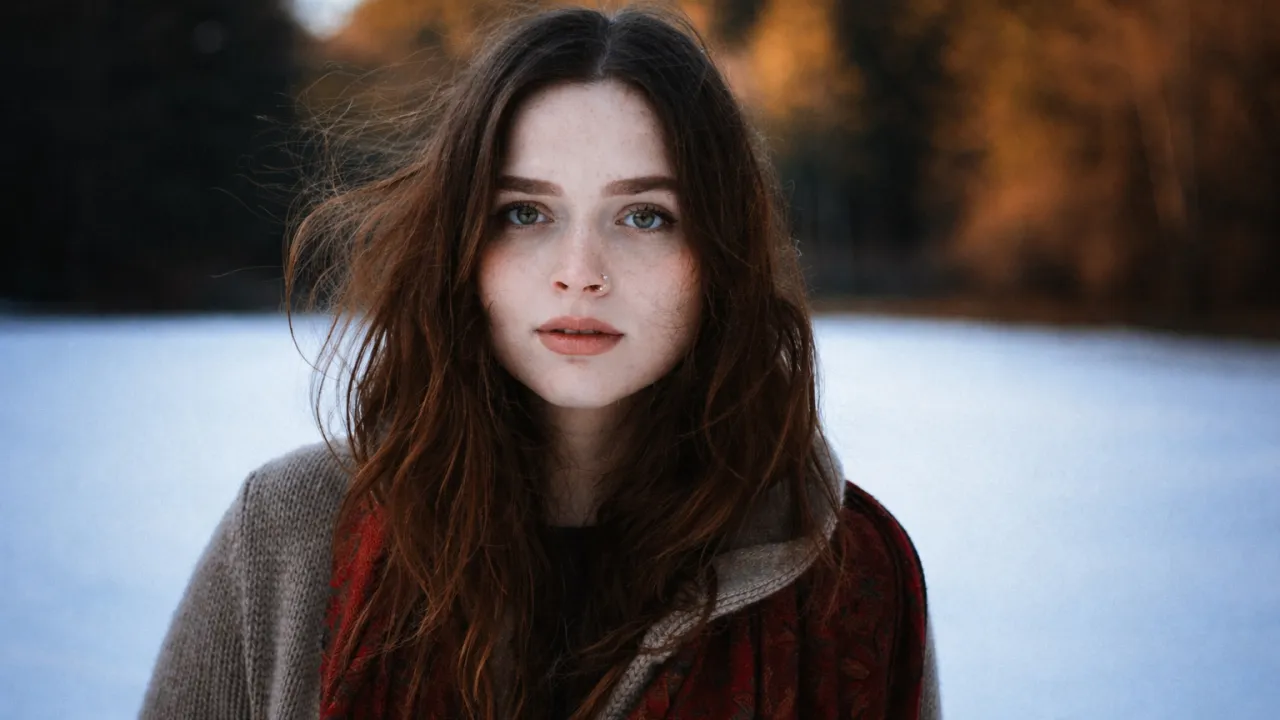
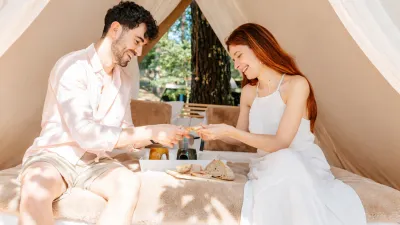 BeforeAfter
The Prompt
Create a full-body cute chibi-style 3D cartoon illustration of a romantic couple standing close together, viewed from a high top-down camera perspective with a slight wide-angle lens effect, as if the camera is positioned above them and tilted downward. The perspective should reveal a small portion of the tops of their heads while emphasizing their faces, creating a playful exaggerated viewpoint where their faces and upper bodies appear larger and more prominent than the lower body.

The characters must accurately match the faces from the provided reference photo, preserving their exact facial structure, hairstyle, skin tone, eye shape, smile, and overall likeness, while transforming them into a stylized Pixar-quality chibi 3D character version.

Female Character

The woman has voluminous warm brown hair, large expressive glossy eyes, soft rounded cheeks, and a bright cheerful smile. Her clothing and accessories should be accurately extracted from the reference image. She is waving one hand in a friendly welcoming gesture, expressing joy, affection, warmth, and lively energy.

Male Character

The man stands very close beside her in a relaxed and natural pose. He has naturally styled hair, expressive eyes, and a warm friendly smile. His outfit should match the reference image. One hand is casually placed in his pocket, while the other rests naturally at his side.

Chibi Character Proportions

Both characters must follow classic chibi proportions:

Oversized heads

Small compact bodies

Smooth rounded facial features

Subtle blush on cheeks

Large glossy eyes with soft reflections

Stylized soft skin shading

Depth of Field

Apply a soft cinematic depth-of-field effect where:

Faces and upper body remain extremely sharp and highly detailed

Lower body (waist to feet) becomes slightly blurred

This creates visual focus on the characters’ faces and expressions.

Rendering Style

Ultra-detailed Pixar-inspired 3D character render, including:

Smooth glossy textures

Hyper-clean character sculpting

Realistic fabric folds and cloth shading

Subsurface skin scattering for natural skin glow

Cinematic soft global illumination lighting

Soft shadows beneath the characters

Vibrant yet balanced color grading

Ultra sharp high detail rendering

Composition & Background

Clean minimal studio background

Light gray or soft off-white backdrop

No clutter or distracting objects

Professional studio lighting setup

Slight extra empty space above the heads

Slight empty space below the feet

Output Quality

4K Ultra HD resolution

Extremely sharp focus

Professional studio quality render

Aspect Ratio

4:5 vertical composition

Mood

Cute, romantic, wholesome, cheerful, heartwarming, premium animated movie aesthetic.

Important Constraint

Avoid plastic-looking skin or artificial toy-like materials. Maintain natural stylized skin texture.
Among the most popular trends in AI-generated art today is the chibi-style 3D cartoon illustration. These adorable characters—with oversized heads, expressive eyes, and compact bodies—have captured the hearts of millions across social media platforms like Instagram, Pinterest, and TikTok.
Artificial intelligence has transformed digital creativity in ways that seemed impossible just a few years ago. From generating realistic portraits to crafting stylized animations, AI image generation tools now allow anyone—artists, marketers, bloggers, or social media creators—to produce stunning visual content within seconds.
But what happens when you combine chibi aesthetics, Pixar-inspired rendering, cinematic lighting, and a high top-down perspective camera angle?
You get a visually striking, emotionally engaging AI-generated chibi couple portrait that feels both cinematic and charming.
In this comprehensive guide, you'll learn everything about creating cute chibi-style 3D couple illustrations using advanced AI prompts, including:
What chibi art style is
Why Pixar-style rendering works so well
How AI prompt engineering affects results
How to control camera perspective and depth of field
How to ensure accurate face matching from reference images
Best practices for lighting, composition, and rendering
How to optimize prompts for AI tools like Midjourney, DALL-E, and Stable Diffusion
If you're ready to create professional, ultra-detailed AI character illustrations, you're in the right place.
Let's dive in.
What Is Chibi Art Style?
Chibi is a Japanese artistic style characterized by small bodies and oversized heads, often used to create cute and playful versions of characters.
The word chibi itself loosely translates to “small” or “tiny” in Japanese slang. In anime and manga culture, it represents characters drawn with exaggerated proportions to appear more adorable and expressive.
Typical chibi characteristics include:
Large heads relative to the body
Big expressive eyes
Rounded facial features
Small limbs
Simplified anatomy
Cute and playful expressions
This style is extremely popular in:
Anime merchandise
Mobile games
Social media avatars
Digital stickers
Character illustrations
AI-generated portraits
When rendered in 3D Pixar-style design, chibi characters gain an entirely new level of realism and charm.
Why Chibi-Style Couple Illustrations Are Trending
Couple illustrations have always been popular, but the combination of romantic storytelling and cute character design has taken them to another level.
People love creating chibi-style portraits of themselves and their partners because they feel:
Personal
Romantic
Memorable
Shareable
Fun
Many creators now use AI tools to generate personalized chibi couple artwork for:
Anniversary gifts
Wedding invitations
Valentine's Day posts
Instagram profile pictures
Pinterest boards
YouTube thumbnails
Digital wallpapers
When executed properly, these illustrations look like mini animated movie characters, which makes them even more appealing.
The Power of Pixar-Inspired 3D Rendering
Pixar-style rendering has become the gold standard for high-quality stylized 3D characters.
This style focuses on:
Smooth, glossy textures
Expressive eyes with reflections
Soft skin shading
Cinematic lighting
Detailed hair sculpting
Realistic cloth folds
When AI models mimic this rendering approach, the characters feel alive and emotionally expressive.
Key Pixar-inspired rendering elements include:
1. Subsurface Skin Scattering
This technique allows light to penetrate slightly beneath the skin surface, creating a natural glow.
2. Cinematic Global Illumination
Global illumination simulates how light bounces around objects, producing soft, realistic shadows.
3. Highly Detailed Eye Reflections
Eyes are often the focal point of character illustrations. Pixar-style rendering enhances them with glossy highlights and reflections.
4. Smooth Character Sculpting
The characters have clean, polished surfaces without rough edges or artificial plastic effects.
Understanding the High Top-Down Camera Perspective
One of the most unique aspects of the prompt is the top-down camera perspective.
Instead of placing the camera at eye level, the camera is positioned above the characters and tilted downward.
This perspective creates a visually appealing effect where:
The tops of the heads are slightly visible
Faces appear larger and more expressive
Bodies look smaller due to perspective distortion
The composition feels playful and cinematic
A slight wide-angle lens effect further exaggerates this cuteness.
This technique is widely used in:
Animation cinematography
Character concept art
Social media illustrations
Why Facial Accuracy Matters in AI Portrait Generation
When generating AI portraits based on a reference image, maintaining facial accuracy is critical.
Without proper prompt instructions, AI models may:
Change facial structure
Modify hairstyles
Alter skin tone
Replace facial expressions
That’s why the prompt includes detailed instructions like:
Preserve facial structure
Match hairstyle exactly
Maintain skin tone
Keep eye shape consistent
Preserve natural smile
This ensures the AI output remains recognizable while still transforming the subjects into stylized chibi characters.
Character Design Breakdown
The prompt carefully describes both characters in detail to guide the AI model.
Let's examine each one.
The Female Character Design
The woman is designed to embody warmth, joy, and liveliness.
Key features include:
Voluminous warm-brown hair
Oversized expressive eyes
Soft rounded cheeks
Bright cheerful smile
Friendly waving gesture
These design choices communicate a welcoming and affectionate personality.
Her outfit and accessories are extracted from the reference image, which allows personalization while maintaining realism.
The Male Character Design
The male character stands close beside her in a natural and relaxed pose.
His design includes:
Naturally styled hair
Friendly expressive eyes
Gentle smile
One hand in pocket
Casual stance
This relaxed body language reinforces the romantic and comfortable relationship dynamic between the couple.
Classic Chibi Proportions Explained
The charm of chibi characters lies in their exaggerated proportions.
The prompt specifies:
Oversized Heads
Heads are typically 40–50% of total body height.
Compact Bodies
Bodies are short and simplified, enhancing the cute aesthetic.
Smooth Facial Features
Sharp edges are avoided to maintain a soft appearance.
Blush on Cheeks
Subtle blush adds warmth and emotion.
Glossy Eyes
Large eyes with reflections give the characters life and personality.
Using Depth of Field for Visual Impact
Depth of field is a cinematic technique that controls which parts of an image remain sharp.
In this prompt:
Faces remain ultra sharp
Lower bodies are slightly blurred
This creates:
Strong visual focus
Professional photography look
Cinematic composition
By softly blurring the lower body, the viewer's attention is automatically drawn to the characters' faces and expressions.
Lighting Setup for Premium AI Character Renders
Lighting dramatically influences the quality of AI-generated images.
The prompt calls for cinematic soft global illumination, which creates smooth lighting transitions.
Ideal lighting characteristics include:
Soft studio lighting
Balanced highlights
Gentle shadows beneath the characters
Subtle ambient light
This produces a clean, professional studio render.
Background Design for Clean Composition
The prompt intentionally specifies a minimal background.
This ensures:
No visual distractions
Maximum character focus
Professional presentation
Easy use for social media thumbnails
Recommended backgrounds include:
Light gray
Soft off-white
Neutral studio backdrop
These colors help highlight the characters without overwhelming the image.
Color Grading and Visual Tone
Color grading influences how an image feels emotionally.
The prompt uses vibrant yet balanced color grading, meaning:
Colors remain rich and lively
Skin tones stay natural
Lighting feels warm and cinematic
This combination reinforces the cute, romantic mood.
Importance of 4K Ultra HD Rendering
High resolution is essential for modern digital content.
The prompt specifies 4K Ultra HD quality, which provides:
Ultra sharp details
Crisp character textures
High clarity for prints
Perfect social media visuals
Higher resolution also allows images to be cropped or resized without losing quality.
Ideal Aspect Ratio for Social Media
The requested 4:5 vertical aspect ratio is perfect for platforms like:
Instagram
Pinterest
Facebook
Threads
This format maximizes screen space and improves engagement.
Emotional Mood of the Illustration
The prompt emphasizes a heartwarming and cheerful tone.
The overall mood should feel:
Romantic
Cute
Wholesome
Joyful
Friendly
Emotionally engaging artwork tends to perform significantly better on social media.
Avoiding Artificial Plastic Effects
One important instruction is “No plastic effects.”
Some AI renderings appear overly glossy or artificial.
To avoid this, the prompt specifies:
Soft skin shading
Natural texture
Subtle reflections
Balanced lighting
This results in characters that feel stylized yet believable.
Best AI Tools for Generating Chibi Couple Art
Several AI image generators perform exceptionally well with this type of prompt.
Popular tools include:
Midjourney
Best for artistic stylization and cinematic lighting.
Stable Diffusion
Excellent for customization and control.
DALL-E
Great for consistent character design.
Leonardo AI
Popular for anime and stylized characters.
Tips for Getting the Best Results
If you're using AI tools, consider these expert tips:
Use High-Quality Reference Photos
Clear lighting and frontal faces improve accuracy.
Keep Prompts Detailed
More detail gives the AI clearer instructions.
Experiment with Variations
Generate multiple images and choose the best.
Use Upscaling Tools
Enhance final image resolution for professional use.
Common Mistakes to Avoid
Many beginners make these errors:
Using vague prompts
Ignoring camera perspective
Forgetting lighting instructions
Overloading prompts with conflicting styles
Clear, structured prompts produce far better results.
Full Optimized AI Prompt
Here is the optimized version of the prompt used for generating the illustration:
(Create a full-body, cute chibi-style 3D cartoon illustration of a couple standing side by side from a high top-down perspective...)
You can copy and paste this prompt into AI image generators to reproduce similar results.
Why This Prompt Works So Well
This prompt succeeds because it:
Clearly defines camera perspective
Specifies character proportions
Controls lighting and rendering style
Maintains facial accuracy
Uses cinematic composition techniques
The result is a professional, emotionally engaging illustration.
Final Thoughts
AI art generation has unlocked endless creative possibilities. With the right prompt structure, anyone can create studio-quality 3D character illustrations that rival professional animation concept art.
By combining:
Chibi character proportions
Pixar-style rendering
Cinematic lighting
Top-down camera perspective
Depth-of-field photography
you can produce adorable couple portraits that feel cinematic, modern, and emotionally engaging.
Whether you're creating artwork for social media, gifts, or digital content, mastering prompts like this will give you a major creative advantage.
The future of AI-assisted creativity is incredibly exciting—and we're just getting started.
Did you find this helpful?
Show your support! Your feedback helps us create more amazing content.